


Radar Alive Pro Weather Radar
4.3321.00 Reviews
App Specs
- Version
- 60.0.0.18
- Updated On
- License
- $7.99
- Downloads
- 10,000+
- Developer
- Tiny Vital Systems, LLC
- Categories
- Weather
- Platform
- Android
Screenshots
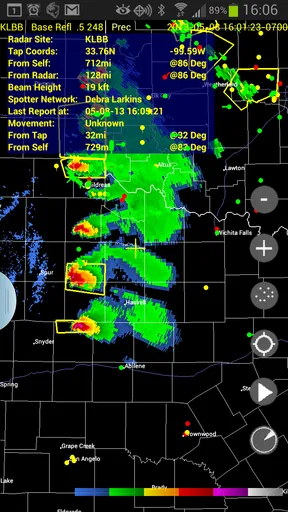
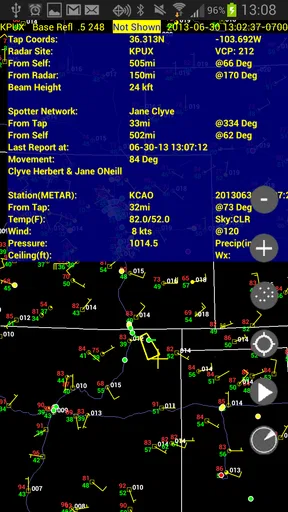
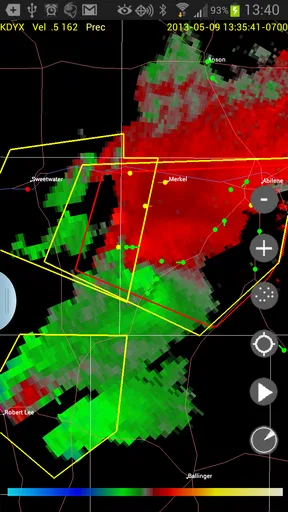
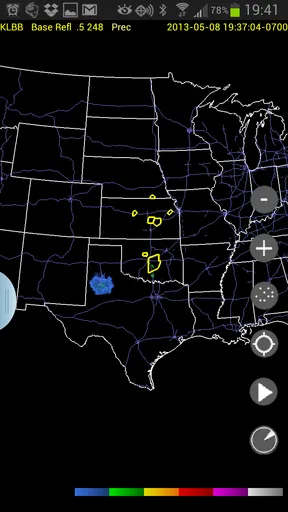
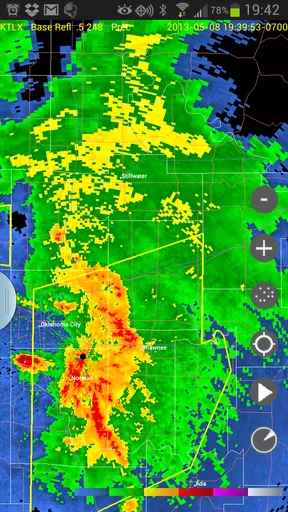
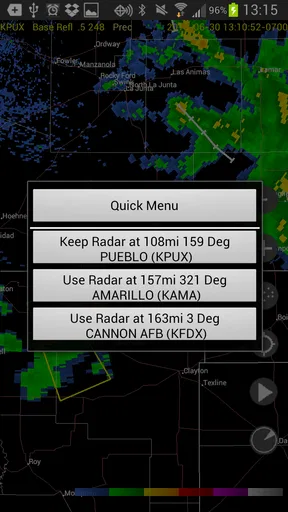
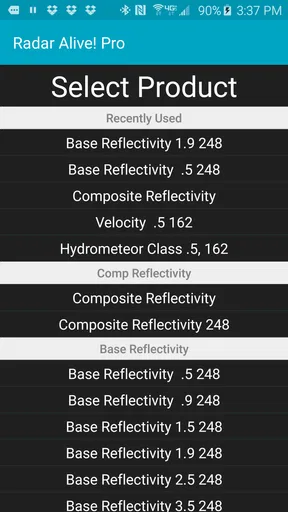
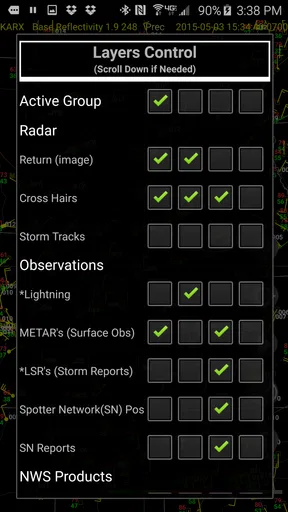
 Analysis by AppCompare
Weather apps usually aim to make forecasts quick and friendly, but Radar Alive Pro Weather Radar takes a more focused route. I found it most interesting as a tool for people who care about watching storms develop rather than simply checking whether they should carry an umbrella. It is a weather app from Tiny Vital Systems, LLC, built around radar information and aimed at users who want more than a small temperature card.
That focus matters. A general-purpose weather app is often better for a fast look at today’s conditions, while this one makes more sense when precipitation and storm movement are the main concern. In my experience, its appeal comes from that narrower purpose: it tries to serve the person who wants to inspect weather activity, follow a changing system, and make a decision based on what is happening nearby.
What the price tells me about its value
This is a paid app listed at $7.99, so the buying decision is different from downloading a typical free weather app. I would not treat it as an automatic replacement for every forecast service on a phone. The price asks you to decide whether dedicated radar access is useful enough in your routine to justify paying up front.
The app has been available since Apr 24, 2011, and its current version is 60.0.0.18. That long presence gives it a more established feel than a newly released experiment, although longevity alone does not guarantee that it will match every modern weather service. It is compatible with Android 6.0 and later, which makes the technical entry point fairly broad for people using older supported devices.
The store shows an average rating of 4.3 from around 560 ratings, with more than 300 written reviews, and the app has passed 10,000 installs. Those figures suggest a modest but committed audience rather than mass-market reach. I read that as a clue about its identity: this is not trying to be the default weather screen for everyone. It is a specialist purchase for users who see radar as the central reason to open a weather app.
There is also an Everyone content rating, so the app is presented as suitable for a general audience. That does not mean every user will find it simple. Weather radar can be visually and mentally denser than a forecast card, especially when several layers or areas compete for attention. The age rating tells me about suitability, not about the learning curve.
The important cost question is not whether it is cheap; it is whether radar is something you will actively use. If you only check tomorrow’s high and low, paying for a specialized radar app is difficult to defend. If you regularly monitor thunderstorms, heavy rain, or changing conditions before travelling, the purchase can be easier to justify because the app’s purpose is much more specific.
Worth Reading Before You Choose

EA SPORTS FC Mobile 26 Is a Bigger Football Game, but It Takes Time

Flipboard Shows What News Apps Must Do Beyond the Feed

Switching to Android Auto Means Rethinking Your Driving Routine

Google Calendar Makes a Crowded Week Easier to Manage

Ludo King Makes the Most of the Minutes Between Plans

Baby Panda World Brings Quick Play to Modern Phones, but Its Game Library Feels Busy
How it fits into real weather decisions
My most useful way to think about this app is as a “should I wait?” tool. Imagine planning an outdoor appointment and seeing dark clouds approaching. A basic forecast may tell you that rain is possible, but a radar-focused app can be more useful for judging whether the weather is moving toward you, passing to one side, or already clearing. That distinction can change whether I leave immediately, delay for a while, or cancel altogether.
For storm watchers, the workflow is naturally different from checking a daily forecast. I would open the map before heading out, identify the precipitation pattern near the destination, and then return to it as conditions change. The practical benefit is not just seeing a coloured image; it is comparing the map with the route and timing of a real plan. A person driving across town, organising a sports practice, or deciding whether to start yard work can use radar as a decision aid rather than a general weather summary.
A useful habit is to check the wider area first instead of immediately zooming in on your own street. A close view can make a small patch of rain look more important than it is, while a broader view helps reveal the direction and shape of the system. After that, I would narrow the map to the route or location that matters. This two-stage approach is more informative than repeatedly refreshing a tiny local view.
Another practical tip is to compare what the radar shows with what you can actually observe outside. Radar is valuable, but it is not a substitute for common sense, local visibility, or official warnings. If the sky, wind, or road conditions look worse than the screen suggests, I would trust the real-world risk and seek official emergency information. The app is best used to improve awareness, not to give permission to take chances.
Its specialist design can also help people who dislike the vague wording of ordinary forecasts. “A chance of rain” covers a lot of situations: a brief shower, a narrow band several miles away, or a widespread storm. A radar view encourages a more precise question: what is happening now, and is it moving toward the place I care about? That is a meaningful upgrade for planning, even when the app is not being used by a professional storm chaser.
Where it is stronger than a normal forecast app
Most everyday weather apps are built around convenience. They place current temperature, hourly conditions, and a multi-day outlook in front of you. That is excellent when I want an answer in seconds. Radar Alive is more compelling when the forecast feels too general and I need to inspect precipitation activity itself.
The difference is especially clear during unsettled weather. A forecast card may remain unchanged for a while even though the rain pattern is shifting. Looking at radar can reveal why the practical situation has changed: a band is approaching, a storm is breaking apart, or a gap is opening. That kind of visual context is the app’s strongest reason to exist.
It can also be a better companion for people whose plans are sensitive to short-term conditions. A runner deciding whether to begin a route, a parent waiting for a safer school pickup, or a small event organiser checking an outdoor setup may care more about the next stretch of weather than a distant daily forecast. In those cases, radar is not decorative information; it supports a specific choice.
At the same time, I would not claim it replaces a complete weather service. If I want a simple week overview, broad climate information, or a quick temperature glance, a standard weather app may be faster and more comfortable. The strongest comparison is not “this is better at everything.” It is “this is more appropriate when radar is the part of weather information I need most.”
Small habits that make the purchase more worthwhile
Because it is a paid specialist app, I would build a repeatable routine around it rather than opening it randomly. Before an outdoor plan, I would inspect the local area, widen the view to understand the larger pattern, and then check again close to departure. That makes the app part of a decision process instead of another screen full of information.
I would also avoid treating one image as a complete forecast. Weather radar is strongest for observing precipitation patterns, but it should be paired with an official source when safety is involved. For severe weather, the right workflow is to use this app for visual awareness and rely on local alerts and emergency guidance for instructions. That division of responsibility is important, particularly for people who may interpret a quiet radar moment as proof that conditions are safe.
A less obvious trade-off is attention. A radar map invites repeated checking because it shows movement and change. That can be useful when a storm is genuinely affecting your plans, but unnecessary when you only need to know whether it will be warm tomorrow. I would reserve it for situations where the extra detail can change my action. Otherwise, the simpler tool is the better tool.
Another consideration is device age. The minimum requirement of Android 6.0 means the app can work on older supported Android hardware, which is helpful if you keep a reliable older phone as a travel or outdoor device. Still, compatibility does not tell me how comfortable the experience will be on every screen size or how smoothly it will behave on every older handset. I would be especially cautious about buying it for an ageing device if map interaction feels cramped or slow in other apps.
Who will get genuine value from it
I see the clearest value for storm watchers, outdoor workers, travellers who need to judge changing rain, and anyone who regularly makes short-term plans around precipitation. It can also suit a weather enthusiast who enjoys studying approaching systems instead of relying on a single forecast sentence. For these users, a dedicated radar app can earn its place because the information is directly connected to daily decisions.
It may be useful for a household that frequently has to coordinate outdoor activities. One person can check the broader weather pattern while another adjusts departure time or chooses an indoor alternative. The benefit is not that the app magically makes weather predictable; it gives the household a shared visual reference for discussing what appears to be happening.
I would be more hesitant to recommend it to someone who wants a free, all-purpose weather dashboard. The paid price makes less sense if radar is an occasional curiosity and the main need is a clean forecast for the next several days. That user may be happier with a conventional weather app that combines current conditions, forecasts, and alerts in one familiar place.
I would also skip it if I wanted the app to make safety decisions for me. Radar interpretation takes judgment, and a map can be misunderstood when a user is unfamiliar with distance, movement, or the difference between visible precipitation and actual hazard. For severe conditions, official warnings remain essential. This app can support awareness, but I would not use it as my only source during a dangerous event.
For iPhone users, the practical question is availability on their particular device and store. The confirmed technical requirement here is Android 6.0 or later, so I would not assume that the same purchase or feature set applies across platforms. That is worth checking before spending money, especially for someone choosing between devices or expecting one purchase to cover multiple operating systems.
My buy-or-skip verdict
I would buy Radar Alive if I wanted a dedicated way to inspect storm and precipitation activity and expected to use it repeatedly. Its long-running presence, focused purpose, and established user feedback make it more convincing than a random radar experiment. The app’s value is concentrated rather than broad: it earns the price when radar helps me decide when to leave, wait, reroute, or move an activity indoors.
I would skip it if I mainly wanted a quick daily forecast, a polished general weather companion, or a free solution for occasional rain checks. In that situation, the specialised focus works against it. Paying for a tool I rarely open is poor value, even if the tool itself is capable.
My final recommendation is therefore conditional but positive. Tiny Vital Systems, LLC has made a weather app for people who want to watch conditions, not just read a forecast. I would treat the $7.99 purchase as a commitment to that workflow: inspect the wider pattern, focus on the location that matters, check again before acting, and combine the information with official warnings when safety is involved. If that sounds like how you already think about weather, this app has a clear purpose. If it does not, a simpler alternative will probably serve you better.
For me, the deciding point is straightforward: buy it for radar-driven decisions, not for ordinary weather checking. That distinction keeps expectations realistic and makes the paid value much easier to judge.
Pros
- Detailed live radar maps with multiple weather layers
- Useful alerts for approaching rain
- storms
- and severe weather
- Supports location tracking for weather updates on the move
- Clear visual presentation makes radar data easy to understand
- Pro version removes many limitations found in the free experience
Cons
- Some advanced radar features may require a paid subscription
- Live map data can consume significant mobile data and battery
- Accuracy depends on the quality of available local weather sources
- The interface may feel crowded when several map layers are enabled
- Radar coverage and update speed can vary by country or region
FAQs for Radar Alive Pro Weather Radar
What is Radar Alive Pro Weather Radar?
Radar Alive Pro Weather Radar is a weather-monitoring app designed to provide detailed radar maps, current conditions, forecasts, and severe-weather information. During testing, its main focus was visual weather tracking, allowing users to follow rain, snow, storms, and changing cloud patterns on an interactive map. It is intended for people who want more information than a basic daily forecast app offers.
Does Radar Alive Pro provide accurate and real-time weather information?
The app uses weather radar and forecast data to display current and upcoming conditions, but accuracy can vary depending on your location, local data providers, and the age of the available radar information. Radar imagery is especially useful for tracking precipitation and storms nearby, although it should not be treated as an official emergency warning service. Always compare serious weather alerts with government or local authority notifications.
What features are available in the Pro version?
Radar Alive Pro generally focuses on enhanced weather visualization and may include expanded radar access, additional forecast details, animated weather maps, location tools, and fewer restrictions than a basic version. Exact features can depend on the app release, region, and subscription or purchase terms. Before downloading, users should check the current store listing to confirm what is included and whether any premium features require extra payment.
Does Radar Alive Pro Weather Radar require location access?
Location permission is useful if you want the app to automatically show weather conditions and radar activity around your current position. However, you can often search for or save locations manually without granting continuous location access. For better privacy and battery control, consider allowing location only while using the app unless background alerts or automatic updates specifically require broader permission.
Is Radar Alive Pro Weather Radar free to download and use?
The app’s availability, pricing, and premium conditions may differ between Android and iOS, as well as by country. It may be downloadable at no initial cost while offering paid features, subscriptions, or in-app purchases. Check the official store page before installing for the current price, trial details, renewal terms, advertising information, and cancellation policy so there are no unexpected charges.


